The same Deye F-code can mean different things on different model families — F62 is a demand-response stop on the SG04LP3 hybrid but a reactor over-current on G-series string inverters. Identify your model, look up the code for that model, and restart safely.
When a Deye inverter throws an F-code on its screen or in the Solarman app, the first question is not "what does this code mean?" — it is "what does this code mean on my model?" Deye's own service manuals define many F-codes differently from one product family to the next, and a meaning copied from the wrong family can send you to the wrong action: restarting a system that should stay off, or paying for a callout the inverter would have cleared on its own.
That is why this guide is built model-first. Our Deye error-code directory is compiled from the official manuals of 15 Deye device families — hybrid inverters, string inverters, all-in-one ESS units and batteries, almost 700 documented fault records in total. Identify your model below, open its family page, and read the cause and fix Deye actually publishes for that machine. This article shows you how, and covers the rules that do hold everywhere: how the code format works, the safe restart procedure, and when to stop and call a technician.
📞 Stuck on an F-code right now? Send the code + your model + a photo of the inverter screen to WhatsApp +971 4 255 0887. Average diagnosis response: under 15 minutes during Gulf business hours.
The same code, two different meanings
Here is why a universal Deye code list cannot be trusted. These are the official, manual-derived records from our database for two common codes — read across a row and the same code changes meaning completely from one family to the next:
| Model family | F35 means | F62 means |
|---|---|---|
| SUN SG01HP3/SG02HP3 Hybrid (three-phase high-voltage hybrids) | No utility — no grid detected | Inverter stopped by a demand-response (DRM) command |
| SUN G04/G05/G06 3-Phase (three-phase string family) | No grid detected on the AC side | Over-current through filter reactor phase B — an internal hardware event |
| SUN SG04LP3/SG05LP3 Hybrid (three-phase low-voltage hybrids) | Not listed in this family's manual records | Inverter stopped by a demand-response (DRM0) command |
| GB-A HV Battery (high-voltage battery cabinet) | Internal voltage-sampling fault (MOT total-voltage sampling abnormal) | Not listed in this family's manual records |
Follow the actions through and the stakes become obvious. On a SUN G04/G05/G06 string inverter, F62 is an internal over-current: the manual says restart once and contact your installer or Deye service if it returns. On the SG04LP3/SG05LP3 and SG01HP3/SG02HP3 hybrids, the same F62 means a demand-response command stopped the inverter — the manual's first step is to check whether the DRM function is active. One code: one family gets a hardware-service procedure, another gets a settings check.
The pattern repeats across the range. F41 is a parallel-system stop on the hybrid and ESS families (AI-W5.1, GB-SL, the LP1 single-phase hybrids, SG01HP3/SG02HP3, SG02LP2-US), but on the G-series string inverters it is a phase-to-phase overvoltage (W-U line voltage above the protection setting), and on the GB-A HV battery it is a relay drive failure. F42 is a low-grid-voltage fault on the SG04LP3/SG05LP3 and LP1 hybrids, yet a parallel firmware-version mismatch on the SG01HP3/SG02HP3 hybrids and the GB-SL ESS. F60 is an abnormal generator input on the SG01HP3/SG02HP3 family but a phase-W grid over-current on the G-series string family. F61 means "inverter switched off manually" on the SG01HP3/SG02HP3 — and a filter-reactor over-current on the string models.
An earlier version of this article, like most code lists online, gave a single meaning per code — it called F35 a grid-frequency fault, for example, a reading that matches none of the fifteen families in the official records. We rebuilt the guide in July 2026 around the per-model directory so that every meaning traces back to the manual for your machine.
How to read a Deye error code
All Deye fault codes follow the format F + two digits (F13, F35, F64). They appear on the inverter's LCD and inside the Solarman cloud app; a separate set of W-codes flags warnings — degraded but still-operating conditions. The format is universal. What varies by family is the meaning behind the number, the official severity class (the manuals mark each code as a fault, a warning or an information notice) and the recommended fix.
As a triage concept, three behaviours cover every code:
| Severity | What it means | Your action |
|---|---|---|
| 🟢 Self-clearing | Inverter recovers automatically when the external condition normalises | Watch — if it persists more than 1 hour, contact us |
| 🟡 Soft latch | Inverter has stopped output and needs a power cycle to restart | Try the safe restart procedure below — once; if it returns, call a technician |
| 🔴 Hard latch | Real hardware fault, system stays down | Stop using the system; call a certified Deye technician |
Which of the three behaviours a given code follows on your inverter is exactly what the per-model pages in the directory tell you — the same number can be a self-clearing notice on one family and a service fault on another.
Step 1 — Identify your exact model
Before you look anything up, find the full model designation. Three places to check:
- The nameplate label on the side of the inverter — the model reads like SUN-10K-SG04LP3-EU or SUN-8K-SG01HP3-EU-AM2.
- The Solarman app — open the device page; the model string is listed under device information.
- Your invoice, datasheet or commissioning report from the installer.
Then match the middle of the model string to its family page in the directory:
| Model on your label | Family page in the directory |
|---|---|
| SG04LP1, SG01LP1, SG05LP1, OG01LP1 (single-phase hybrids) | SUN LP1 Hybrid Series |
| SG04LP3, SG05LP3 (three-phase low-voltage hybrids) | SUN SG04LP3/SG05LP3 Hybrid |
| SG01HP3, SG02HP3 (three-phase high-voltage hybrids) | SUN SG01HP3/SG02HP3 Hybrid |
| SG02LP2-US (split-phase hybrids, US market) | SUN SG02LP2-US Hybrid |
| G04P1, G05P1 (single-phase string) | SUN G04P1/G05P1 Series |
| G02P1-EU (single-phase string, 7–10.5 kW) | SUN G02P1-EU Series |
| G06P3-EU (three-phase string) | SUN G06P3-EU Series |
| G04, G05, G06 LV (three-phase low-voltage string) | SUN G04/G05/G06 3-Phase |
| G03, G01P3-AM8 (commercial three-phase string) | SUN G03/G01P3-AM8 Series |
| G01P3-EU-BM8 (commercial string, 120–136 kW) | SUN G01P3-EU-BM8 Series |
| AI-W5.1 all-in-one ESS · GB-SL / GB-SL Pro ESS | AI-W5.1 ESS · GB-SL / GB-SL Pro ESS |
| Batteries: GB-A HV, RW Spring, SE Spring | GB-A HV Battery · RW Spring Series · SE Spring Series |
Step 2 — Look up the code for that model
Open the error-code directory and either browse your family page or type the code into the search. Every code page lists each family that defines the code side by side, with the official cause, description, severity and fix from that family's manual. One note on naming: code pages are filed by number, so F35 lives on the code 35 page and F62 on the code 62 page.
If the fix column for your family says "contact Deye" or "seek help from Deye", take it at face value — those are the codes the manufacturer itself does not consider a user-serviceable condition.
The codes owners search most, family by family
F13 — on the hybrid and ESS families (LP1 single-phase hybrids, SG04LP3/SG05LP3, SG02LP2-US, SG01HP3/SG02HP3, AI-W5.1, GB-SL) the manuals define it as a working-mode change that generally clears itself. On several G-series string families it is a reserved code raised in practice on grid-phase loss or relay problems. On the GB-A HV battery it means a BMU connector is overheating — switch off and let it cool. Code 13 lookup.
F23 — every inverter and ESS family in our records defines it as a transient leakage (residual) current event; the hybrid manuals say check the PV-side cable ground connection and restart the system two or three times. The exception proves the model-first rule: on the GB-A HV battery, F23 means the heating relay contacts are stuck — Deye's instruction is to switch the battery off to prevent uncontrolled heating and contact support. Code 23 lookup.
F41 / F42 — parallel-system codes on some families, grid-voltage codes on others (see the examples above). Check your family page before touching any setting. Code 41 · Code 42.
F46 — a backup-battery inconsistency fault on the AI-W5.1 ESS and SG04LP3/SG05LP3 hybrids, a grid under-voltage fault on the SG01HP3/SG02HP3, a U-V line-voltage protection on the G-series string families, and a failed precharge on the GB-A HV battery. Code 46 lookup.
F55 / F56 — DC bus voltage out of range in the G-series string and SG04LP3/SG05LP3 records, battery-terminal voltage out of range in the SG01HP3/SG02HP3 and GB-SL records — and on the GB-A HV battery, F55 is an Ethernet-controller communication warning. Code 55 · Code 56.
F58 — on every hybrid and ESS family it is lost communication with the battery BMS: restore the comm link (cable, pinout, protocol). On the G-series string inverters the same code is a phase-U grid over-current (several manuals note it has hardly ever appeared in the field). Code 58 lookup.
F60 / F61 / F62 — the old universal reading ("BMS over/under-voltage or over-current") matches none of our records. On the SG01HP3/SG02HP3 family: F60 is an abnormal generator input, F61 means the inverter was switched off manually, F62 is a demand-response stop. On the G-series string families all three are internal over-current events (grid phase W, filter reactor phase A, filter reactor phase B). On the SG04LP3/SG05LP3, F62 is the demand-response stop. Code 60 · Code 61 · Code 62.
F63 and F64 — consistent across the families we track
F63 — PV arc fault. Every family that lists F63 in our records defines it the same way: a DC arc detected on the PV side (AFCI protection; several Deye manuals note the arc-detection function targets the US market). Deye's fix is to check the PV module cable connections and repair the arcing point. Our safety advice is stricter: treat it as a potential fire risk — do not restart into F63; have a technician physically inspect every DC connection first.
F64 — heat-sink over-temperature. Every family that lists F64 defines it as the heat sink running too hot. The hybrid manuals say: check whether the working environment is too hot, switch the inverter off for 10 minutes, then restart. If it keeps returning, the string-inverter manuals direct you to a temperature-sensor and firmware check — installer or Deye service territory.
Safe restart procedure (any model)
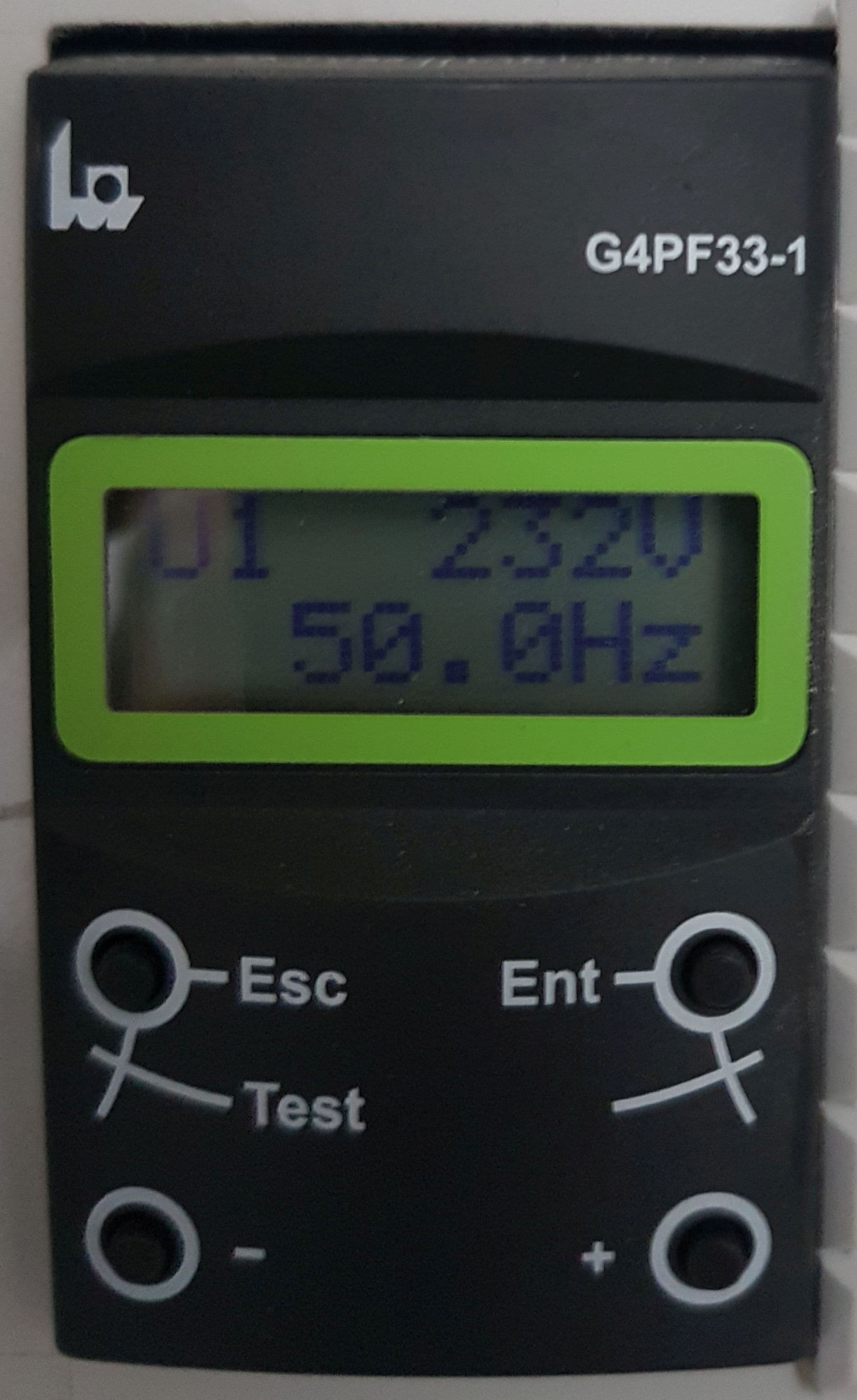
This generic isolator power-cycle is the only manual intervention we recommend an owner attempt, and only once per fault:
- Note the code and take a photo of the screen (you will want both if you need support).
- Press OK on the inverter screen to acknowledge the alarm.
- Open the AC isolator on the wall next to the inverter (the breaker labelled Inverter AC).
- Open the DC isolator on the same wall (often a rotary switch labelled PV DC).
- Wait 60 seconds — this lets the internal capacitors discharge.
- Close the DC isolator first, then the AC isolator.
- Wait 30 seconds for the boot. The display should show Standby or Grid-tied, not an F-code.
Do not open the inverter cover. Do not touch DC cables. Do not bypass any breaker.
When not to restart at all
- F63 (arc fault on every family that documents it) — potential fire risk; physical inspection first.
- Any code whose entry for your model says contact Deye / seek help from Deye after a failed first restart.
- Any code that has already returned twice in 24 hours — a third power-cycle only hides the pattern a technician needs to see.
Saudi conditions: heat, dust and coastal humidity
Whatever your model, the Saudi environment shapes which faults you will actually meet. Wall-mounted inverters in direct afternoon sun run their heat sinks near the limit in summer — F64, the one thermal code that reads the same on every family we track, is far more common on west-facing walls and in unventilated utility rooms. Sand and dust clog fan filters and cooling fins; a seasonal clean is cheap insurance.
On the coast (Jeddah, Dammam), humidity and dew cycles work into AC junction boxes and connector glands, driving leakage-current and insulation events; sealed IP65 glands at every roof and outdoor penetration are the fix that lasts. Inland, the killer is thermal cycling: connectors that were torqued at commissioning loosen over months of 50 °C days and cool nights — the classic cause of morning communication faults between inverter and battery.
When to call a technician immediately
- F63 on any family — arc-fault indication, stop the system.
- Any code your model's page marks as a battery or BMS protection stop — the battery has cut charge or discharge for a reason.
- Any F-code that returns more than twice in 24 hours after the safe restart.
- The inverter is hot to the touch even when not generating.
- The screen is blank or unresponsive.
- You smell anything unusual near the inverter (plastic, electrical, burning).
📞 WhatsApp the code + your model + a photo of the screen to +971 4 255 0887 and we'll triage the next step within 15 minutes.
Next steps
Look up your exact code now: Deye error-code directory — search by model or code.
If you're sizing a system: How to Size a Hybrid Solar Inverter for a Saudi Villa.
If you're commissioning a new install: Complete Deye Installation Guide for Saudi Arabia.
If you're worried about heat-related faults: Why Deye Inverters Survive Saudi Heat.
If you're filing the SEC paperwork: SEC Net-Metering in Saudi Arabia.
📞 Live technical support, Gulf hours: WhatsApp +971 4 255 0887 · 📧 sales@deyeinverters.net · 📺 Deye Inverters YouTube
Frequently Asked Questions
What does Deye error F35 mean?
What does Deye error F62 mean?
Are Deye error codes the same on every model?
How do I safely restart a Deye inverter after a fault code?
Can I clear a Deye F63 arc fault myself?
What does Deye F64 mean?
Where do I find my Deye model number?
What if my code isn't listed for my model?
Ready for a personalized quote?
WhatsApp us — average reply time under 15 minutes.
Related Products
Error codes in this article
Each code links to its full page: what it means on every model, the cause, and the fix from the official manual.
- 13FaultMos over temperature.
- 23FaultALARM_ID_HEAT_RELAY_ADHESION.
- 35FaultALARM_ID_MOT_VOLT_SAMP_ERROR.
- 41FaultALARM_ID_POS_RELAY_DRIVE_FAULT.
- 42FaultALARM_ID_CHG_RELAY_DRIVE_FAULT.
- 46FaultMos Adhesion Susp.
- 55FaultTEMP_OPEN_WIRE_FAIL.
- 56FaultDC busbar voltage is too low.
- 58FaultBMS communication fault.
- 60FaultAC grid W over current.
- 61FaultReactor A phase over current.
- 62FaultDRMs0_stop.
- SUN SG01HP3/SG02HP3 Hybrid
- SUN G04/G05/G06 3-Phase
- SUN SG04LP3/SG05LP3 Hybrid
- GB-A HV Battery
- SUN LP1 Hybrid Series
- SUN SG02LP2-US Hybrid
Related Articles
Deye Hybrid Inverter Installation Guide for Saudi Arabia: The Complete Technical Manual (2026)
Best Solar Inverter for Saudi Homes 2026: Complete Buyer's Guide
Why Deye Inverters Survive Saudi Heat: IP65, 60 °C Tolerance & Desert-Tested Performance