Deye error codes · from the official manuals
Deye error codes — what they mean and how to fix them.
Seeing a code on your Deye inverter or battery? Search the code or pick your device — you'll get what it means, what caused it, and the fix, straight from the official manuals.
699codes
15devices
37manuals
Read the label
Find your device
Inverters
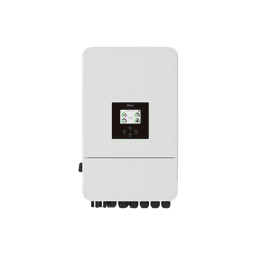
10 models · 528 codes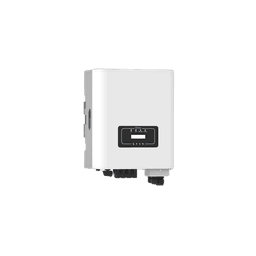
SUN G-Series
grid-tie string inverters6 modelsBatteries
3 models · 118 codes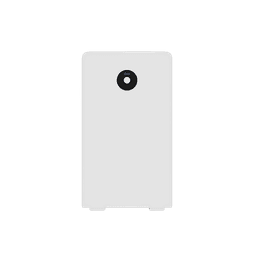
RW · SE Spring
lithium batteries2 models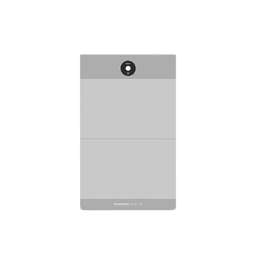
GB-A
HV battery systems1 modelEverything else
2 models · 53 codes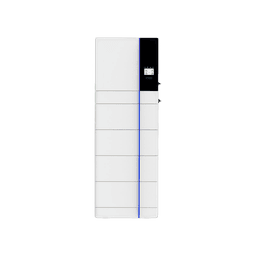
GB-SL · AI-W5.1
all-in-one storage2 modelsRead the screen
Most searched codes
The codes owners look up most often — tap yours to jump straight to the fix.
- 13FaultMos over temperature.Fault · also shown as F013, F13
- 35FaultALARM_ID_MOT_VOLT_SAMP_ERROR.Fault · also shown as F035, F35
- 24FaultAFE-SCDL/SCD.Fault · also shown as F024, F24
- 26FaultCell voltage sampling fails.Fault · also shown as F026, F26
- 29FaultEEPROM error.Fault · also shown as F029, F29
- 63FaultARC fault.Fault · also shown as F63
- 64FaultHeat sink high temperature failure.Fault · also shown as F64
- 56FaultDC busbar voltage is too low.Fault · also shown as F56
- 58FaultBMS communication fault.Fault · also shown as F58
- 20FaultALARM_ID_DSG_RELAY_ADHESION.Fault · also shown as F020, F20
- 22FaultALARM_ID_CHG_RELAY_ADHESION.Fault · also shown as F022, F22
- 41FaultALARM_ID_POS_RELAY_DRIVE_FAULT.Fault · also shown as F041, F41
- 47FaultHeat Mos adhesion.Fault · also shown as F047, F47
- 48FaultHeat error.Fault · also shown as F048, F48
- 18FaultALARM_ID_HEAT_OVER_TEMP_LEV_2.Fault · also shown as F018, F18
- 34FaultALARM_ID_BAT_VOLT_SAMP_ERROR.Fault · also shown as F034, F34
- 01FaultCell over voltage.Fault · also shown as F001, F01
- 07FaultCell over temperature.Fault · also shown as F007, F07
How to read the code on your screen
F-codes are faults
A protection has tripped and the inverter usually stops output until the condition clears or you restart it once. Note the code before switching anything off.
W-codes are warnings
The unit keeps running while asking you to fix something — W03 flags the arc-detection self-test, W13 a fan problem. A warning left alone can become a fault.
F26 and 26 open the same page
Inverters print F-numbers; batteries print plain numbers. Search either form — the page shows the meaning for your exact model.
An inverter fault code is usually a setting
Before an inverter fault code is a hardware problem it is usually a parameter — battery type, charge current, grid code or an MPPT limit set wrong at commissioning. Tell us the code and the model and we will confirm the setting against the Deye inverter manual rather than guess at it.
Programming, settings and the Deye inverter manual
Post-sale support is free for the life of the system: we walk you through inverter programming and battery settings, and we file the warranty claim with Deye ourselves when a unit really has failed.
Still showing a code?Send us the code and your model number — a technician replies on WhatsApp. Support is free for the lifetime of your Deye unit.
How Deye error codes work
Deye inverters report faults as F-codes (F01–F64) and warnings as W-codes on the display and in the app — an F-code means a protection has tripped and the unit usually stops until the condition clears, while a W-code leaves it running. Batteries speak their own language: Spring-series packs (RW/SE) show plain numeric BMS codes on the LCD, and the GB-A high-voltage system uses ALARM IDs (F001–F055). This database merges notations — F26 and 26 open the same page — and shows the meaning for every model separately, because the same number on an inverter and a battery are different codes.
When to call a technician
Many warnings clear themselves once the cause is gone — a fan warning after cooling, a mode-change notice after the grid returns. A fault that comes straight back after one restart means the inverter has detected a real problem: note the code and your model number and send them to a technician instead of power-cycling repeatedly. Treat insulation and arc faults (F24, F63) with respect — they exist to protect against ground faults and DC arcing, so do not keep resetting them. Always disconnect AC, PV, and the battery before opening any cover.
Common questions about Deye error codes
These are the questions owners and installers ask most often when a code appears on the screen.
- What does F13 mean on a Deye inverter?
- On Deye hybrid inverters (the SUN …LP1/LP3/HP3 families) and single-phase string models, F13 reports a working-mode change — the unit switched operating mode, for example when the grid dropped and it moved to battery supply. It normally clears on its own once the transition completes. On the three-phase string G04/G05/G06 generation the position is reserved and should not appear. The code 13 page lists the meaning for every affected model.
- What is the difference between an F-code and a W-code on Deye equipment?
- F-codes are faults: a protection has tripped and the inverter usually stops output until the condition is resolved or the unit is restarted. W-codes are warnings: the unit keeps running while asking you to fix something — W03 flags the arc-detection self-test, W13 a fan problem. Battery packs use their own numeric BMS codes rather than F/W notation.
- My screen shows F26 but this site says 26 — is that the same code?
- Yes for inverters — the directory merges F26 and 26 onto one page. Be aware that a plain 26 on a Spring-series battery LCD is a different, battery-specific BMS code; the page separates the meanings by model, so find your device on it before acting.
- Are these the same codes as in the official Deye manuals?
- Yes. Every entry is compiled from 37 official Deye user manuals, and each code cites its source manual and page so you — or your technician — can check the original context in seconds.
- My model is not listed — what should I do?
- The database currently covers 15 Deye device families across hybrid inverters, string inverters, batteries, and storage systems. Many models are documented as variants of a sibling unit, so check the "also covers" line on the closest family page first. Still nothing? Message us on WhatsApp with your model number and the code on the screen — support is free and we add new manuals as they are released.
Compiled from official Deye user manuals. Always consult your device manual and a qualified technician before performing repairs.