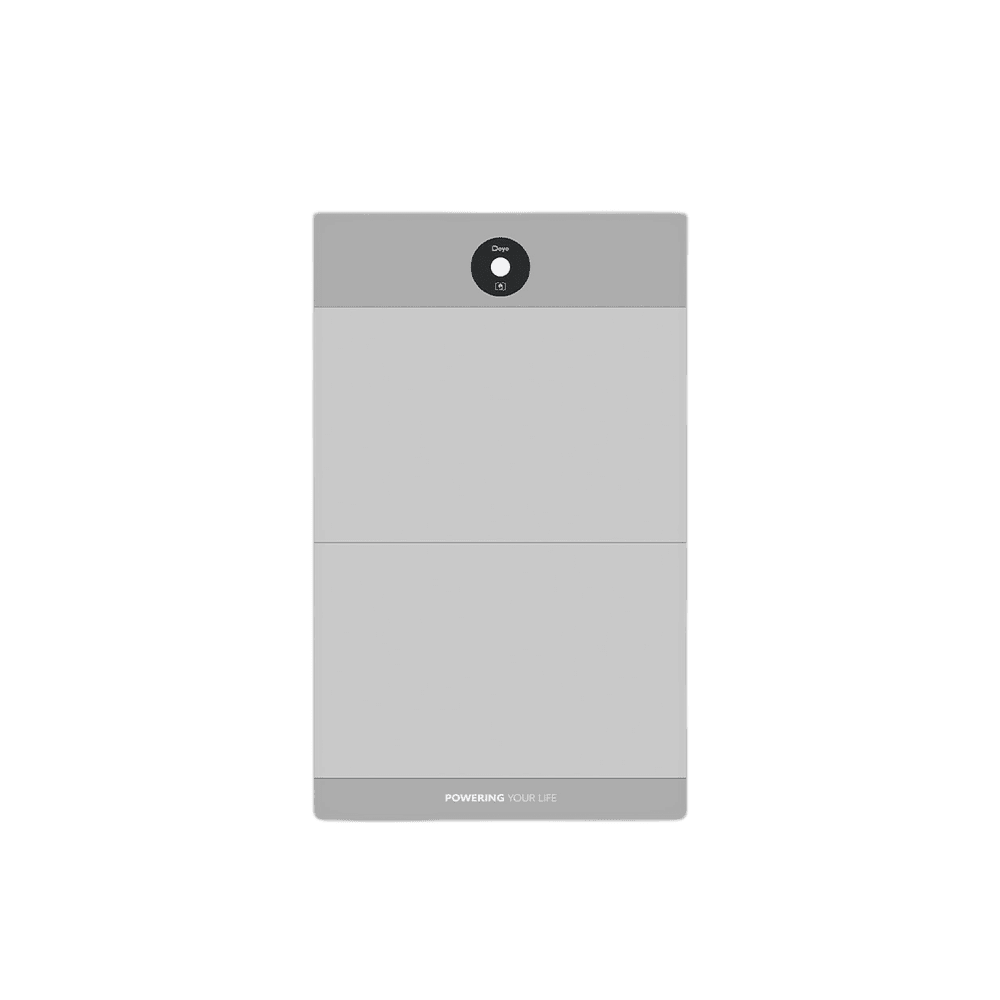
Deye 4–16 kWh 409.6 V Lithium Solar Battery GB-A
- System Energy:4-16 kWh
- Usable Energy:3.6 kWh
AED 1,400
Buy Now — Deye 4–16 kWh 409.6 V Lithium Solar Battery GB-AThis is the complete fault table for the Deye GB-A HV Battery Battery — all 55 codes from the official manual on one page. On this Deye device, a fault code means the unit has entered protection and stopped normal operation; a warning leaves it running. The exact indication (LED pattern or display code) is listed per code below.
Last checked against the official manuals on 11 July 2026.
Total battery (pack) voltage too high - level-2 protection (manual wording: 'the total pressure is too high').
CausePack voltage exceeded the level-2 over-voltage limit - the PCS charge voltage is set too high for the battery bank, or charging failed to taper near full.
Recommended fixStop charging and correct the PCS charge-voltage settings for the battery configuration. if the fault does not clear after the voltage falls, contact Deye support.
Source:gb-a-pack6-gb-a4-gb-a10-gb-a16-manual.pdf· page 12
Total battery (pack) voltage too low - level-2 protection.
CauseThe pack was over-discharged below the level-2 under-voltage limit - sustained discharge without recharging, or long storage self-discharge.
Recommended fixStop discharging and recharge the battery promptly from PV or grid. if it will not recover, contact Deye support.
Source:gb-a-pack6-gb-a4-gb-a10-gb-a16-manual.pdf· page 12
Charging temperature is too high.
CauseCell temperature exceeded the charging over-temperature limit - high ambient temperature, poor ventilation, or sustained high charge current.
Recommended fixStop charging and let the battery cool; improve ventilation and keep the battery within its rated charge temperature range.
Source:gb-a-pack6-gb-a4-gb-a10-gb-a16-manual.pdf· page 12
Discharging temperature is too high.
CauseCell temperature exceeded the discharging over-temperature limit - high load current, high ambient temperature, or poor ventilation.
Recommended fixReduce the load and let the battery cool; improve ventilation before resuming operation.
Source:gb-a-pack6-gb-a4-gb-a10-gb-a16-manual.pdf· page 12
The charging temperature is too low.
CauseCell temperature is below the minimum charging temperature - the battery is in an environment colder than its rated charging window.
Recommended fixWarm the installation space (or allow the internal heating to bring the cells up to temperature) before charging resumes.
Source:gb-a-pack6-gb-a4-gb-a10-gb-a16-manual.pdf· page 12
The discharge temperature is too low.
CauseCell temperature is below the minimum discharging temperature - the battery environment is colder than the rated discharge window.
Recommended fixWarm the installation space and wait for the cells to return to the operating temperature range.
Source:gb-a-pack6-gb-a4-gb-a10-gb-a16-manual.pdf· page 12
Excessive voltage differences between cells/modules (manual wording: 'excessive pressure differences').
CauseThe voltage gap between the highest and lowest cell or module exceeded the level-2 threshold - cell imbalance from aging, long storage, or a weak module.
Recommended fixCharge the bank fully at low current so the BMS can balance the cells. if the difference does not close after several full charges, contact Deye support.
Source:gb-a-pack6-gb-a4-gb-a10-gb-a16-manual.pdf· page 12
Excessive temperature differences across the pack.
CauseThe temperature gap between measurement points exceeded the level-2 threshold - uneven heating/cooling of the cabinet or a drifting sensor.
Recommended fixCheck the battery is evenly ventilated and not partially exposed to a heat source; let temperatures equalize. if the code returns, contact Deye support.
Source:gb-a-pack6-gb-a4-gb-a10-gb-a16-manual.pdf· page 12
Cell overvoltage.
CauseA single cell exceeded the level-2 over-voltage limit during charging - charge voltage too high or cell imbalance.
Recommended fixStop charging and check the PCS charge-voltage settings; allow the BMS to balance the cells with a low-current full charge. Contact Deye support if it recurs.
Source:gb-a-pack6-gb-a4-gb-a10-gb-a16-manual.pdf· page 13
Cell undervoltage.
CauseA single cell fell below the level-2 under-voltage limit - over-discharge or a weak cell.
Recommended fixRecharge the battery promptly. if the same cell keeps triggering the fault, contact Deye support.
Source:gb-a-pack6-gb-a4-gb-a10-gb-a16-manual.pdf· page 13
The temperature of the precharge resistance is too high.
CauseRepeated or prolonged precharge attempts - typically into a bus short or an oversized capacitive load - overheated the precharge resistor.
Recommended fixSwitch off and let the unit cool; check the DC bus and PCS side for shorts or abnormal loading before restarting. Contact Deye support if it recurs.
Source:gb-a-pack6-gb-a4-gb-a10-gb-a16-manual.pdf· page 13
The temperature of the BMS connector is too high.
CauseA loose or high-resistance connection at the BMS power connector heated up under current.
Recommended fixSwitch off, let it cool, and check/re-seat and torque the BMS connector and cabling. Contact Deye support if the heating returns.
Source:gb-a-pack6-gb-a4-gb-a10-gb-a16-manual.pdf· page 13
The temperature of the BMU connector is too high.
CauseA loose or high-resistance connection at the BMU power connector heated up under current.
Recommended fixSwitch off, let it cool, and check/re-seat and torque the BMU connector and cabling. Contact Deye support if the heating returns.
Source:gb-a-pack6-gb-a4-gb-a10-gb-a16-manual.pdf· page 13
Charging current fault.
CauseCharging current exceeded the level-2 limit - the PCS charge-current setting is above the battery rating or current sharing between racks is uneven.
Recommended fixReduce the PCS charge-current setting to the battery's rating and check rack cabling for symmetry, then restart.
Source:gb-a-pack6-gb-a4-gb-a10-gb-a16-manual.pdf· page 13
Discharge current fault.
CauseDischarge current exceeded the level-2 limit - the load or PCS demand is above the battery's rated discharge current.
Recommended fixReduce the load or the PCS discharge-current limit, then restart. Contact Deye support if it recurs within rating.
Source:gb-a-pack6-gb-a4-gb-a10-gb-a16-manual.pdf· page 13
High SOC fault.
CauseThe state of charge rose above the allowed upper limit - charging continued past full, usually from wrong charge settings or SOC drift.
Recommended fixStop charging and let the battery discharge slightly; check the PCS charge cut-off settings. Contact Deye support if the SOC reading looks wrong.
Source:gb-a-pack6-gb-a4-gb-a10-gb-a16-manual.pdf· page 13
Insulation fault.
CauseInsulation resistance between the high-voltage circuit and ground is below the limit - moisture ingress, damaged cable insulation, or a pinched conductor.
Recommended fixSwitch off. Inspect and dry the HV cabling and connectors, and repair any damaged insulation. Contact Deye support before re-energizing if the fault persists.
Source:gb-a-pack6-gb-a4-gb-a10-gb-a16-manual.pdf· page 13
The heating film temperature is too high.
CauseThe self-heating film exceeded its temperature limit - heating stayed on too long or its sensor is misreading.
Recommended fixSwitch off and let the system cool. if the fault returns when heating engages, contact Deye support.
Source:gb-a-pack6-gb-a4-gb-a10-gb-a16-manual.pdf· page 13
The SOC is too low.
CauseState of charge fell below the allowed lower limit - the battery was discharged without timely recharging.
Recommended fixRecharge the battery promptly from PV or grid; check the PCS discharge cut-off settings so the bank is not run this low again.
Source:gb-a-pack6-gb-a4-gb-a10-gb-a16-manual.pdf· page 13
Discharge relay adhesion (the manual's description column here reads 'the total voltage is too low'; the alarm ID identifies stuck discharge-relay contacts).
CauseThe BMS self-test found the discharge relay contacts stuck (welded) closed, so the discharge path can no longer be opened.
Recommended fixSwitch the battery off and take it out of service; the relay must be serviced. Contact Deye support.
Source:gb-a-pack6-gb-a4-gb-a10-gb-a16-manual.pdf· page 13
Total positive relay bonding (main positive relay contacts stuck).
CauseThe main positive relay contacts are welded closed, so the pack cannot be disconnected on the positive path.
Recommended fixSwitch the battery off and take it out of service; contact Deye support for relay service.
Source:gb-a-pack6-gb-a4-gb-a10-gb-a16-manual.pdf· page 13
The charging relay contacts are stuck ('glued').
CauseThe charge relay contacts are welded closed, so the charge path can no longer be opened.
Recommended fixSwitch the battery off and take it out of service; contact Deye support for relay service.
Source:gb-a-pack6-gb-a4-gb-a10-gb-a16-manual.pdf· page 13
The heating relay contacts are stuck ('glued').
CauseThe heating relay contacts are welded closed, so the heating film can no longer be switched off reliably.
Recommended fixSwitch the battery off to prevent uncontrolled heating and contact Deye support.
Source:gb-a-pack6-gb-a4-gb-a10-gb-a16-manual.pdf· page 13
Ultimate protection.
CauseA critical parameter passed the final protection threshold, beyond the normal recoverable protection levels.
Recommended fixSwitch the battery off and disconnect it; do not keep operating it. Contact Deye support before returning it to service.
Source:gb-a-pack6-gb-a4-gb-a10-gb-a16-manual.pdf· page 13
Abnormal supply voltage.
CauseThe BMS auxiliary power-supply voltage is out of range - a fault in the internal supply or its source.
Recommended fixRestart the system. if the fault persists, contact Deye support.
Source:gb-a-pack6-gb-a4-gb-a10-gb-a16-manual.pdf· page 13
Blown fuse.
CauseThe main pack fuse opened - an external short circuit or an extreme over-current event.
Recommended fixTake the battery out of service and contact Deye support; the cause of the over-current must be found and cleared before the fuse is replaced.
Source:gb-a-pack6-gb-a4-gb-a10-gb-a16-manual.pdf· page 13
Duplicate BMU address (the manual's description column reads 'the BMU repeatedly fails'; the alarm ID identifies a repeated BMU address).
CauseTwo battery modules (BMUs) are configured with the same address on the internal bus.
Recommended fixCorrect the module addressing so every BMU has a unique address, then power-cycle the system. Contact Deye support if addresses cannot be changed on site.
Source:gb-a-pack6-gb-a4-gb-a10-gb-a16-manual.pdf· page 13
Duplicate BMS address (manual description: 'the BMS is faulty repeatedly'; the alarm ID identifies a repeated BMS address).
CauseTwo BMS units in the system are configured with the same address on the communication bus.
Recommended fixAssign a unique address to each BMS per the parallel/rack instructions and power-cycle the system.
Source:gb-a-pack6-gb-a4-gb-a10-gb-a16-manual.pdf· page 13
The internal CAN communication fails.
CauseThe internal CAN bus between BMS components dropped - loose internal wiring or a board fault.
Recommended fixRestart the system. if the fault persists, contact Deye support.
Source:gb-a-pack6-gb-a4-gb-a10-gb-a16-manual.pdf· page 13
The PCS CAN communication fails.
CauseThe CAN link between the battery COM port and the PCS dropped - loose or miswired cable, wrong pinout, or wrong protocol selection on the PCS.
Recommended fixCheck the communication cable and pin assignment between the battery COM port and the PCS, and verify the PCS battery-protocol setting. Restart both units.
Source:gb-a-pack6-gb-a4-gb-a10-gb-a16-manual.pdf· page 13
The PCS RS485 communication fails (PCS error state signal).
CauseThe battery stopped receiving valid RS485 communication from the PCS, or the PCS is signalling an error state.
Recommended fixCheck the RS485 cable and pinout to the PCS and clear any fault on the PCS side, then restart. Contact Deye support if it persists.
Source:gb-a-pack6-gb-a4-gb-a10-gb-a16-manual.pdf· page 13
The PCS RS485 communication is abnormal.
CauseThe RS485 link between battery and PCS is delivering corrupted or intermittent data - wiring, termination, or interface fault.
Recommended fixCheck the RS485 cabling, pin order and terminations between battery and PCS; restart both units. Contact Deye support if it persists.
Source:gb-a-pack6-gb-a4-gb-a10-gb-a16-manual.pdf· page 14
The fuse total-voltage sampling is abnormal (manual wording: 'the FUSE total pressure collection is abnormal').
CauseThe voltage measurement across the main fuse returned an invalid reading - a sampling-circuit fault or a degraded fuse connection.
Recommended fixRestart the system. if the fault persists, contact Deye support for service.
Source:gb-a-pack6-gb-a4-gb-a10-gb-a16-manual.pdf· page 14
Abnormal internal total-voltage sampling.
CauseThe internal pack total-voltage measurement returned an invalid reading - a sampling-circuit or harness fault.
Recommended fixRestart the system. if the fault persists, contact Deye support for service.
Source:gb-a-pack6-gb-a4-gb-a10-gb-a16-manual.pdf· page 14
The MOT total-voltage sampling is abnormal.
CauseThe voltage measurement on the MOT (output-side) sampling point returned an invalid reading - a sampling-circuit fault.
Recommended fixRestart the system. if the fault persists, contact Deye support for service.
Source:gb-a-pack6-gb-a4-gb-a10-gb-a16-manual.pdf· page 14
The heating-circuit total-voltage sampling is abnormal.
CauseThe voltage measurement on the heating circuit returned an invalid reading - a sampling-circuit fault.
Recommended fixRestart the system. if the fault persists, contact Deye support for service.
Source:gb-a-pack6-gb-a4-gb-a10-gb-a16-manual.pdf· page 14
Voltage collection fault (cell-voltage sampling).
CauseThe cell-voltage sampling circuit or harness returned invalid readings.
Recommended fixRestart the system. if the fault persists, the sampling circuit needs service - contact Deye support.
Source:gb-a-pack6-gb-a4-gb-a10-gb-a16-manual.pdf· page 14
Temperature acquisition fault.
CauseA temperature sensor is open, shorted, or disconnected, so the BMS cannot read a valid temperature.
Recommended fixRestart the system. if the fault persists, contact Deye support for sensor service.
Source:gb-a-pack6-gb-a4-gb-a10-gb-a16-manual.pdf· page 14
Current acquisition fault.
CauseThe current measurement returned an invalid reading - a fault in the current sensor or its sampling circuit.
Recommended fixRestart the system. if the fault persists, contact Deye support for service.
Source:gb-a-pack6-gb-a4-gb-a10-gb-a16-manual.pdf· page 14
Current module fault.
CauseThe current-measurement module (shunt/Hall sensor module) failed its self-check.
Recommended fixRestart the system. if the fault persists, contact Deye support for module replacement.
Source:gb-a-pack6-gb-a4-gb-a10-gb-a16-manual.pdf· page 14
Total positive relay drive failure.
CauseThe drive circuit for the main positive relay failed - the relay coil or its driver cannot actuate the relay.
Recommended fixRestart the system. if the fault persists, the relay drive circuit needs service - contact Deye support.
Source:gb-a-pack6-gb-a4-gb-a10-gb-a16-manual.pdf· page 14
Charging relay drive failure.
CauseThe drive circuit for the charge relay failed - the relay cannot be actuated.
Recommended fixRestart the system. if the fault persists, contact Deye support for service.
Source:gb-a-pack6-gb-a4-gb-a10-gb-a16-manual.pdf· page 14
Discharge relay drive failure.
CauseThe drive circuit for the discharge relay failed - the relay cannot be actuated.
Recommended fixRestart the system. if the fault persists, contact Deye support for service.
Source:gb-a-pack6-gb-a4-gb-a10-gb-a16-manual.pdf· page 14
Heating relay drive failure.
CauseThe drive circuit for the heating relay failed - heating cannot be switched as commanded.
Recommended fixRestart the system. if the fault persists, contact Deye support for service.
Source:gb-a-pack6-gb-a4-gb-a10-gb-a16-manual.pdf· page 14
The EEPROM storage is faulty.
CauseThe BMS could not read or write its non-volatile memory holding calibration and configuration.
Recommended fixRestart the system. if the fault persists, contact Deye support for BMS repair or replacement.
Source:gb-a-pack6-gb-a4-gb-a10-gb-a16-manual.pdf· page 14
The precharge failed.
CauseThe precharge circuit could not raise the bus voltage - a short or very large capacitive load on the DC bus, or a failed precharge resistor.
Recommended fixDisconnect and check the DC bus and PCS side for shorts, then restart. if precharge still fails, contact Deye support.
Source:gb-a-pack6-gb-a4-gb-a10-gb-a16-manual.pdf· page 14
The charging voltage is too low.
CauseThe voltage supplied by the charger/PCS is below what the pack needs to charge - wrong PCS charge settings or a sagging DC bus.
Recommended fixCheck and correct the PCS charge-voltage settings for this battery configuration, then restart charging.
Source:gb-a-pack6-gb-a4-gb-a10-gb-a16-manual.pdf· page 14
The BMU communication is faulty.
CauseThe internal bus between the BMS and one or more battery modules (BMUs) dropped - module wiring or a module board fault.
Recommended fixCheck the inter-module communication cabling and restart the system. if the fault persists, contact Deye support.
Source:gb-a-pack6-gb-a4-gb-a10-gb-a16-manual.pdf· page 14
The number of BMUs is abnormal.
CauseThe number of battery modules detected on the bus does not match the configured system - a module is offline or the configuration is wrong.
Recommended fixCheck that all modules are powered and their communication cabling is intact; verify the configured module count. Restart the system.
Source:gb-a-pack6-gb-a4-gb-a10-gb-a16-manual.pdf· page 14
Temperature collection of the BMS connector is abnormal (NTC open circuit).
CauseThe NTC temperature sensor line on the BMS connector is broken or disconnected.
Recommended fixRestart the system. if the fault persists, the sensor line needs service - contact Deye support.
Source:gb-a-pack6-gb-a4-gb-a10-gb-a16-manual.pdf· page 14
The temperature collection of the BMU connector is abnormal (NTC open circuit).
CauseThe NTC temperature sensor line on a BMU connector is broken or disconnected.
Recommended fixRestart the system. if the fault persists, contact Deye support for service.
Source:gb-a-pack6-gb-a4-gb-a10-gb-a16-manual.pdf· page 14
PACK thermal runaway fault.
CauseThe BMS detected cell behaviour consistent with thermal runaway - rapidly rising temperature that the protections cannot stop.
Recommended fixTreat as an emergency: keep people away from the battery, do not attempt to operate or open it, ventilate the area, and follow the fire-safety procedure. Contact emergency services if there is smoke or fire, and contact Deye support before any re-use.
Source:gb-a-pack6-gb-a4-gb-a10-gb-a16-manual.pdf· page 14
PACK fire failure (fire condition detected).
CauseThe fire-detection input for the pack has triggered - smoke, heat, or fire detected at the battery.
Recommended fixTreat as an emergency: evacuate the area and contact emergency services. Do not re-energize the system; contact Deye support afterwards.
Source:gb-a-pack6-gb-a4-gb-a10-gb-a16-manual.pdf· page 14
TCP connection failure.
CauseThe battery's network (TCP) connection to the monitoring platform could not be established - LAN cabling, router, or network configuration issue. Battery operation itself does not depend on this link.
Recommended fixCheck the network cable, router, and network settings for the battery's monitoring connection, then restart. Contact Deye support if it will not connect.
Source:gb-a-pack6-gb-a4-gb-a10-gb-a16-manual.pdf· page 14
The W5500 (Ethernet controller) SPI communication fails.
CauseThe BMS lost internal SPI communication with its W5500 Ethernet controller chip - a fault on the network interface, affecting monitoring connectivity.
Recommended fixRestart the system. if the fault persists, contact Deye support for service of the communication board.
Source:gb-a-pack6-gb-a4-gb-a10-gb-a16-manual.pdf· page 14
Support for your Deye unit is free for life — our contact page lists our phone and email. If the unit needs replacing, order it online.
Compiled from official Deye user manuals. Always consult your device manual and a qualified technician before performing repairs.